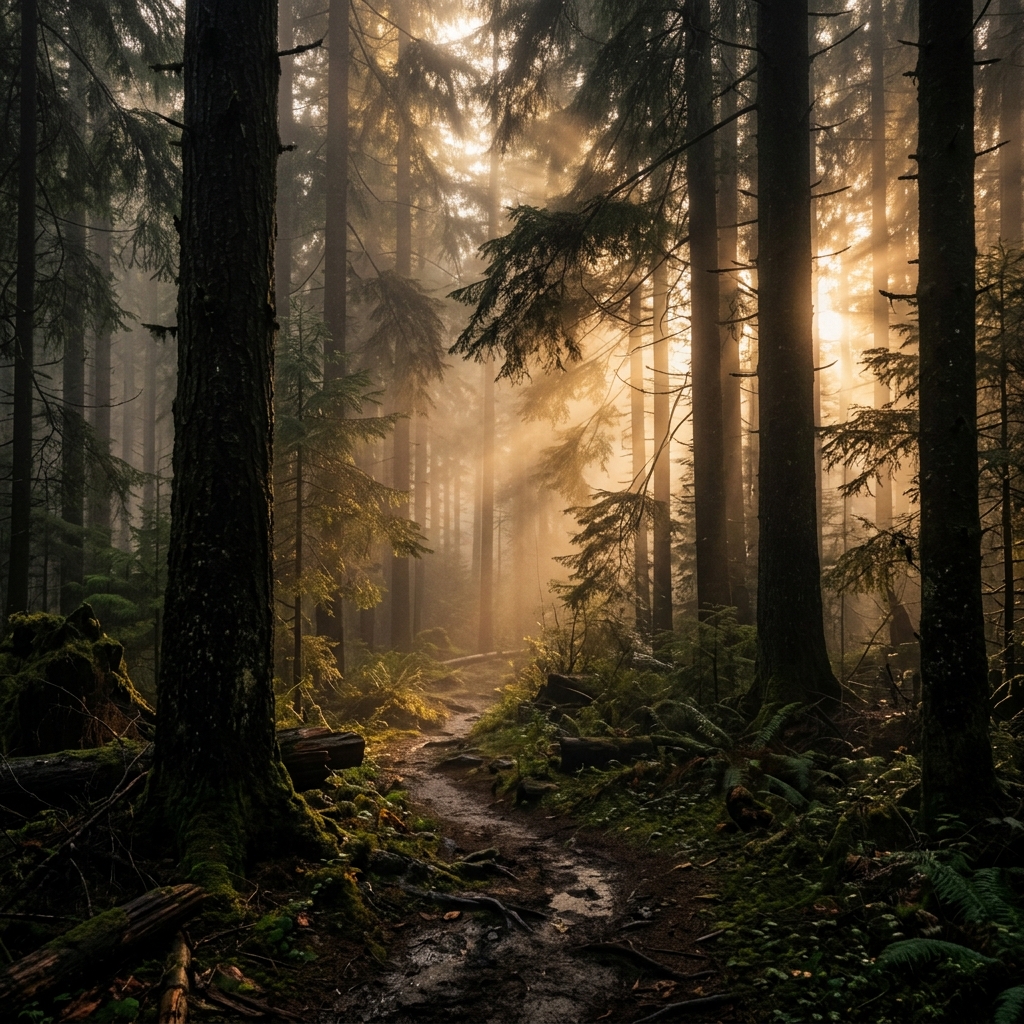
Smartphone cameras have evolved dramatically, but when you step into a dense forest or stand before a cascading waterfall, the default camera app on your phone often falls short. If you are serious about outdoor shooting, you need a dedicated nature camera app. In this guide, we'll break down the ultimate best camera app for nature photography on Android, exactly why default apps fail you, and the features you absolutely need to capture stunning cinematic landscapes.
Why Ordinary Camera Apps Struggle with Nature
When you point a standard Android camera app at a beautiful misty forest, the resulting photo often looks artificial. Why? Because default camera applications are programmed for general consumer use. Their algorithms prioritize bright, highly-exposed selfies, legible document scanning, and vibrant food photos.
To achieve this, default apps automatically apply aggressive processing:
- Shadow Crushing: They attempt to brighten the entire scene, destroying the moody, atmospheric darkness of a forest canopy.
- Neon Greens: They oversaturate foliage, turning natural, earthy greens into glowing, artificial neon hues.
- Over-sharpening: They aggressively sharpen edges, making leaves look like pixelated static rather than organic shapes.
To combat this, serious outdoor photographers turn to a dedicated landscape photography app designed to respect the natural environment.
Features Every Nature Photographer Needs
When searching for a camera app for forests, mountains, and wildlife, you should evaluate the software based on specific technical criteria. Here is what separates a gimmick from a professional tool.
1. Manual Focus
Autofocus struggles in dense environments. When photographing a specific leaf or animal surrounded by branches, the camera will constantly "hunt" for focus. A pro nature app must include granular manual focus, allowing you to lock onto your subject precisely. Focus Peaking (highlighting in-focus areas) is a massive bonus.
2. RAW Support
Shooting in JPEG bakes the color and exposure into the file and discards excess data. When shooting in high dynamic range situations (like a bright sunrise piercing through dark trees), you need RAW support. RAW format captures unprocessed sensor data, allowing you to recover blown-out skies or crushed shadows during editing.
3. LUT Support
Look-Up Tables (LUTs) are the secret to cinematic color grading. Unlike standard Instagram filters that just overlay a color tint, LUTs remap specific colors. For example, a good nature LUT can desaturate yellow-greens and enhance teal shadows without affecting the sky. Having Real-Time LUT support in your viewfinder lets you visualize the final cinematic grade while framing the shot.
4. AI Enhancement & HDR
While we want to avoid bad AI processing, intelligent, localized processing is incredibly powerful. Advanced HDR (High Dynamic Range) algorithms can combine multiple exposures to capture extreme contrast landscapes smoothly.
5. Weather & Long Exposure Effects
If you shoot waterfalls or rivers, you typically need expensive physical ND filters to capture smooth, flowing water. A top-tier app will offer computational long-exposure features to simulate this effect naturally directly on your device.
Why LeafyCam Was Designed Specifically for Landscapes
After testing dozens of tools, we recognized a massive gap in the market. That's why we built LeafyCam—the first Android app explicitly designed as the ultimate nature camera app.
LeafyCam sidesteps the pitfalls of default camera apps by utilizing our proprietary LeafyCam Color Grading Engine V3. Instead of blindly brightening and saturating the scene, LeafyCam protects shadow depth and renders foliage with earthy, cinematic accuracy. We built it from the ground up to be the best camera app for nature photography.
- Pro Landscape Optimizer 2.0: Algorithmically balances exposure in high-contrast outdoor settings, pulling detail out of shadows without blowing out the sky.
- Real-Time LUTs: Import and apply Hollywood-grade `.cube` LUTs directly in the viewfinder. Learn more in our LUT Guide.
- Complete Manual Controls: Full control over ISO, shutter speed, and focus, featuring visual Focus Peaking for macro wildlife shots.
Best Settings for Forests
If you are heading into the woods, try these starting settings to capture moody, atmospheric shots:
- White Balance: Slightly warmer (around 5500K-6000K) to emphasize the morning light, or cooler (4000K) for a damp, foggy atmosphere.
- ISO: Keep it as low as possible (ISO 50-100) to minimize noise in the dark undergrowth.
- Exposure Compensation: Dial it down by -0.5 to -1.0 EV. Underexposing slightly protects the highlights in the sky and deepens the shadows of the forest floor, creating a cinematic mood.
To dive deeper into specific camera settings, check out our dedicated guide on Landscape Camera Settings.
Ready to upgrade your outdoor photography?
Download LeafyCam and apply these techniques to capture breathtaking landscapes today.
Get LeafyCam on Google PlayFrequently Asked Questions
Why are default camera apps bad for nature photography?
Default camera apps usually over-saturate greens, crush shadows, and over-sharpen details because they are optimized for selfies and documents, destroying the natural atmosphere of landscapes.
Do I need RAW support for forest photography?
Yes, RAW capture is essential in high-contrast environments like forests to preserve details in bright highlights (the sky) and deep shadows (the canopy), giving you maximum flexibility in editing.